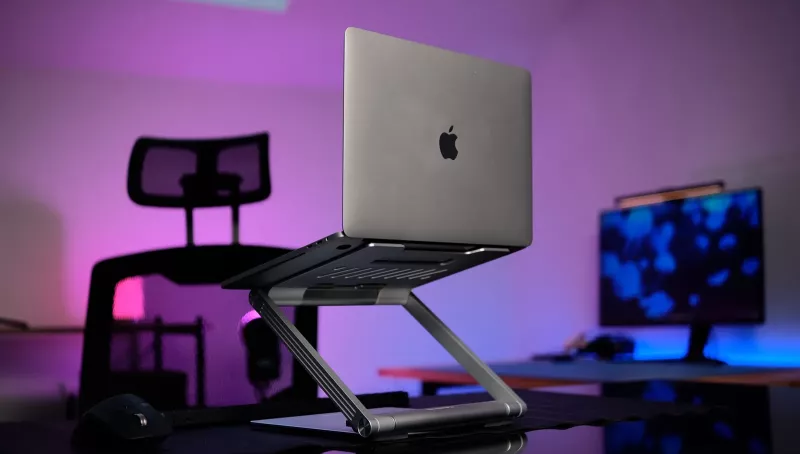

The laptop has long been the main tool for work. However, its advantage in mobility hides certain problems: prolonged work on it without additional accessories can lead to poor posture and a lack of ports. We unconsciously adapt to the technology, although it should be the other way around. This problem is solved by Canyon OnStand 2 (CNS-SDS2). It is not just an aluminum stand that raises the screen to eye level, but an intelligent hub that provides all the necessary ports and connections for daily work.
Let's take a look at how it works in practice, and whether such stands are truly convenient in real life.
Source: Technoguide
Canyon OnStand 2 Video Review
Canyon OnStand 2 CNS-SDS2 Specifications
- Main part rotates 360°
- 6-in-1 hub
- Foldable, magnetic, and detachable design
- Interface: USB(C) Host1 (connects to PC/laptop), USB(C) PD 100W1, HDMI 4K 60Hz*1
- Gigabit Ethernet RJ45*1
- USB(C) 3.0*1; USB(A) 3.0 *2
- Cable length: 1 m
- Official website: canyon.ua
Design and Construction
The first thing that stands out when you take the OnStand 2 out of the box is its solid weight of 1.3 kg. In the context of stationary use, this is an undeniable plus. The stand looks sturdy, it is not wobbly, and creates the impression of being a single element with your desk. However, in travel, its weight will not be critical and will not significantly affect the weight of your bag.
The aluminum body has a pleasant matte finish that does not collect fingerprints.
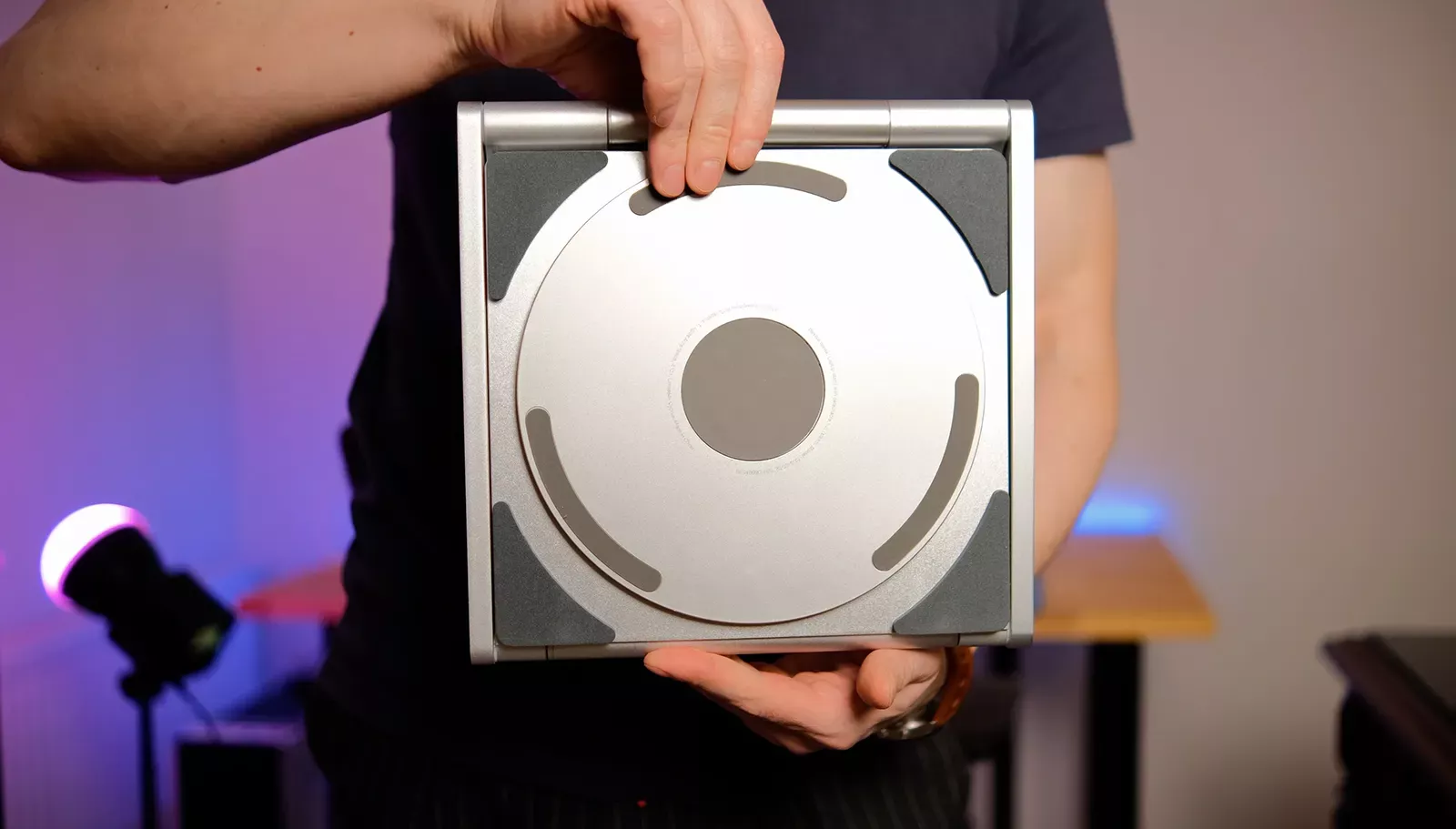
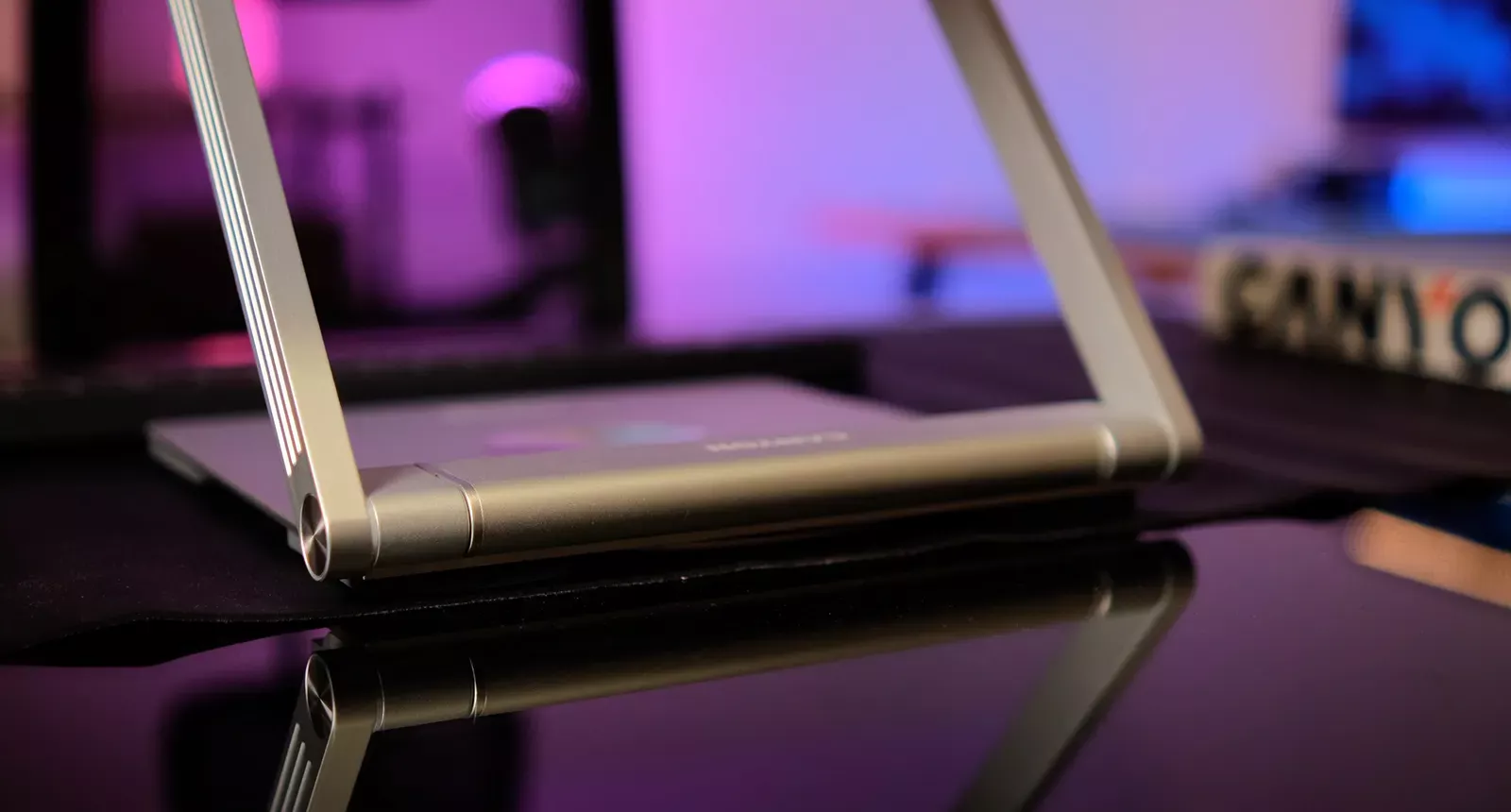
The design is foldable and quite thin when folded (about 2.7 cm high), making it convenient to pack the accessory in a backpack. However, the main feature is the base that rotates 360 degrees. The hinge operates smoothly, locking the position, which is convenient when you need to quickly turn the screen towards your interlocutor, showing a layout or chart, without moving the entire structure across the table.
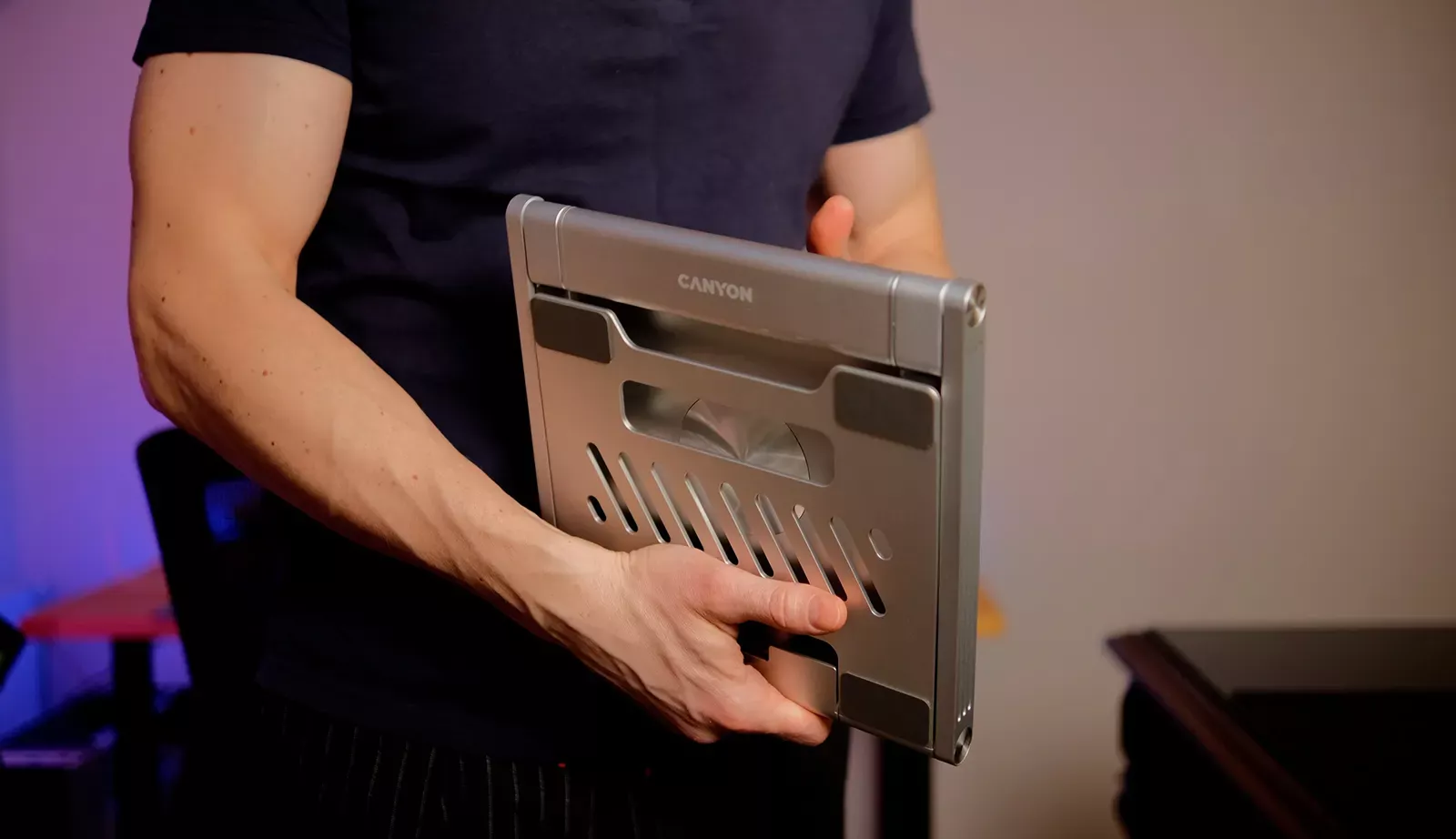
Rubber pads are strategically placed where needed: under the bottom part to protect the surface of the desk, and also on the platform where the laptop sits. They hold even massive gaming models securely, although the stand appears to be designed for more elegant business laptops.
Ergonomics
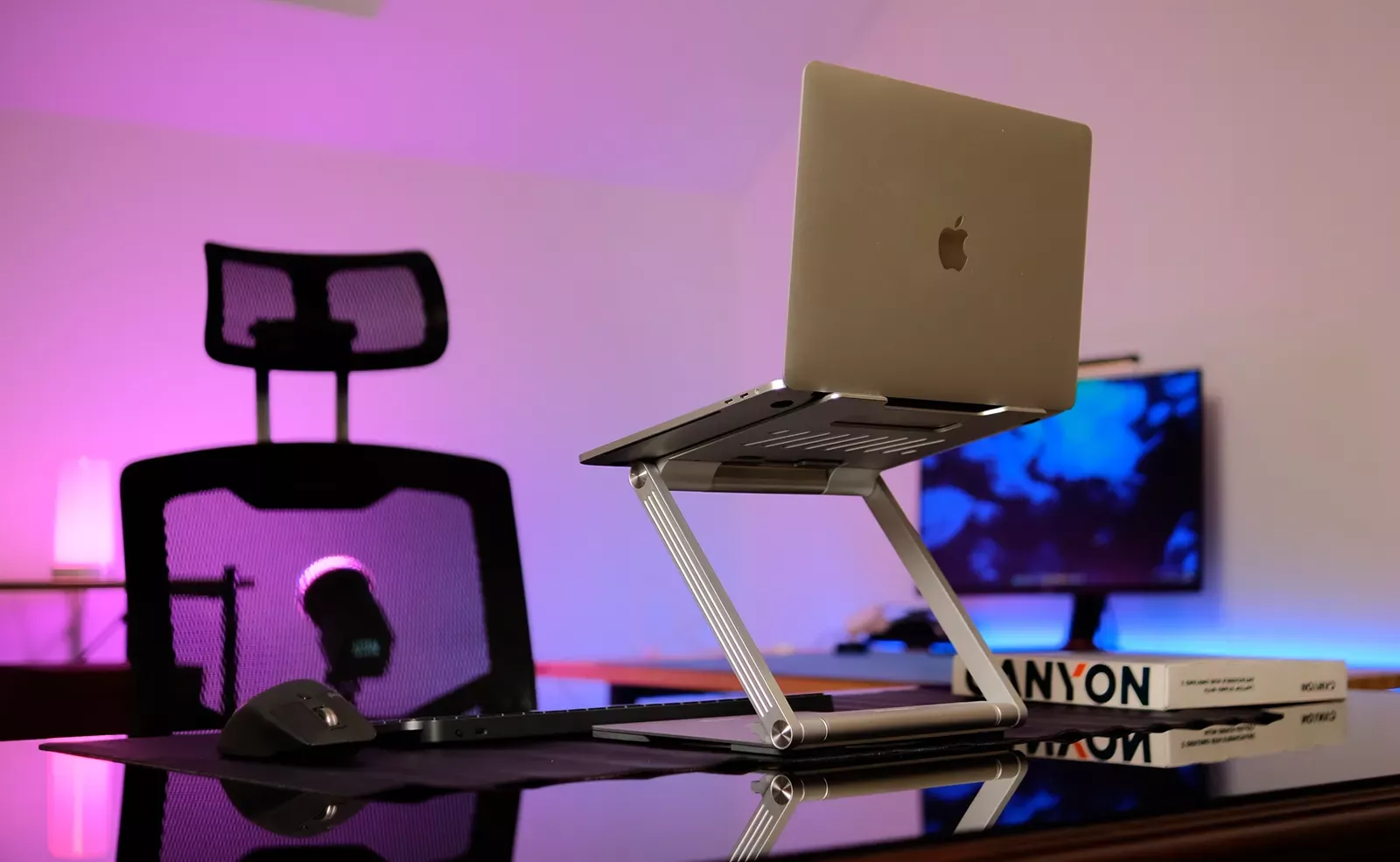
The main goal of the stand is to lift the screen to a comfortable height, helping the user maintain proper posture. The OnStand 2 excels at this. The angle of incline can be adjusted so that the top edge of the laptop's display is at eye level, instantly relieving tension from the cervical spine.

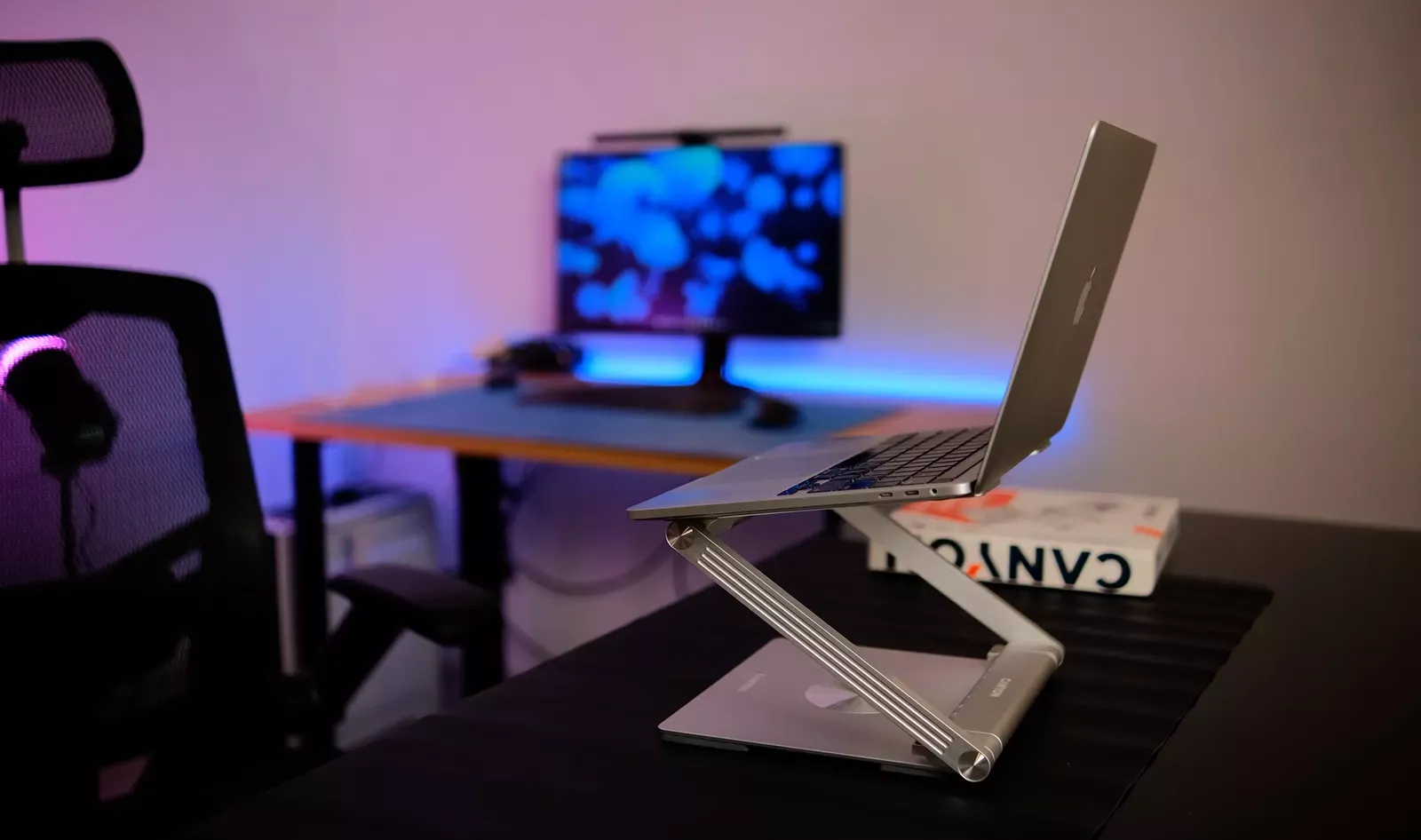
The adjustment hinges are quite stiff and reliable, they do not loosen even with prolonged use.
However, it is worth remembering: just like with any high stand, working on the laptop keyboard will be uncomfortable. The OnStand 2 directly suggests: "Get a separate keyboard and mouse for desktop use." And this is where the hub plays an important role.
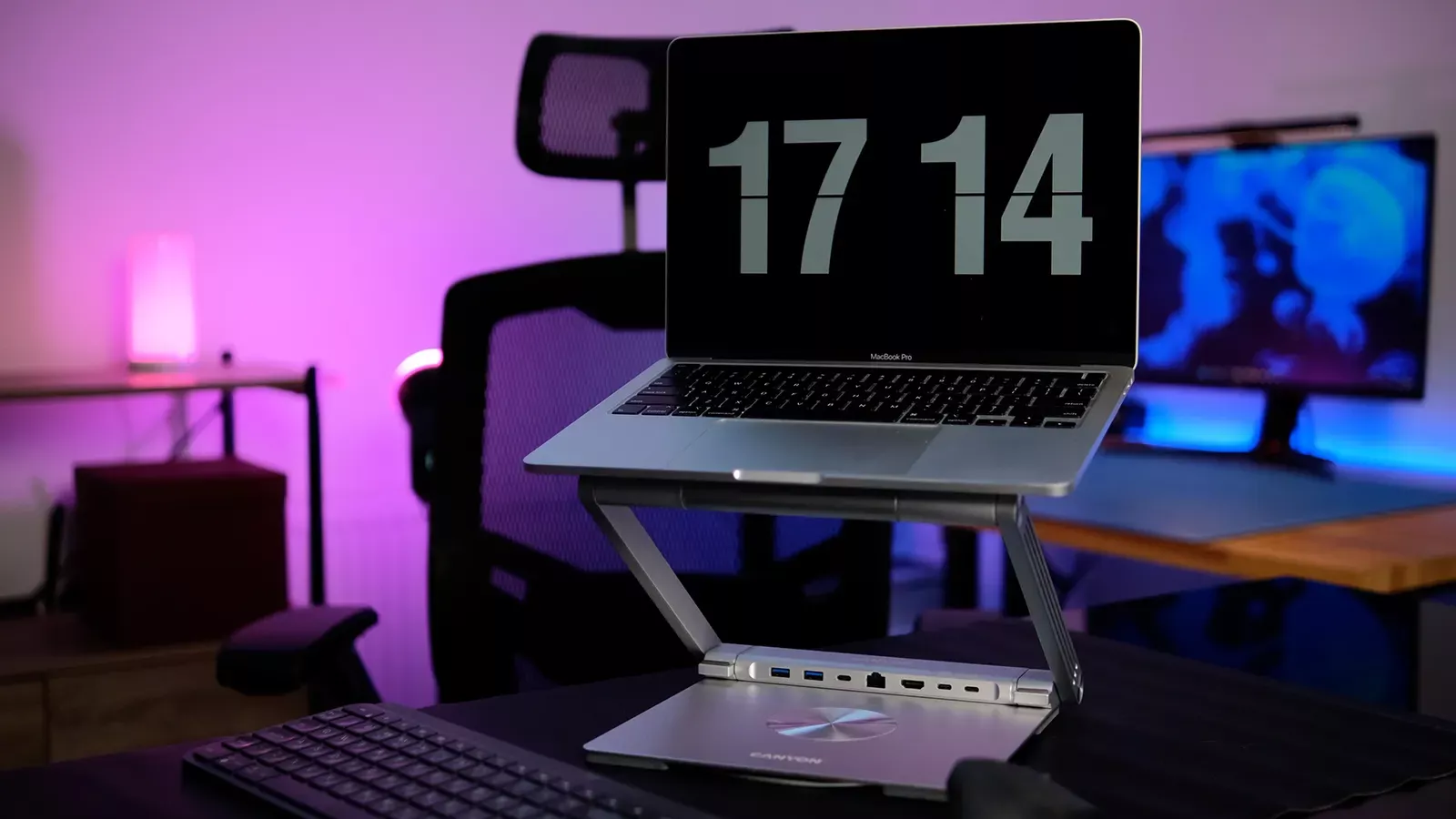
Magnetic Hub: The Heart of the System
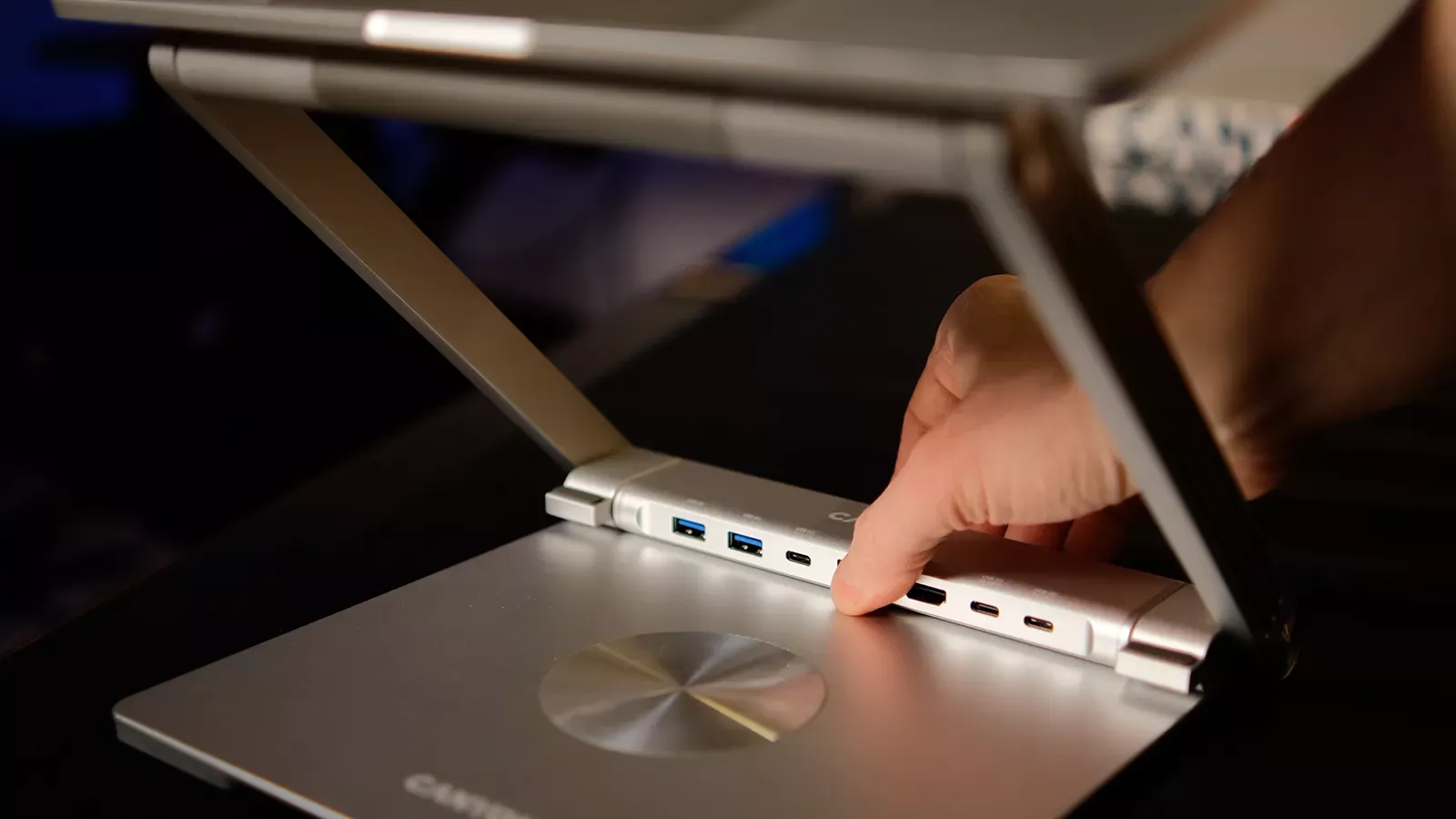
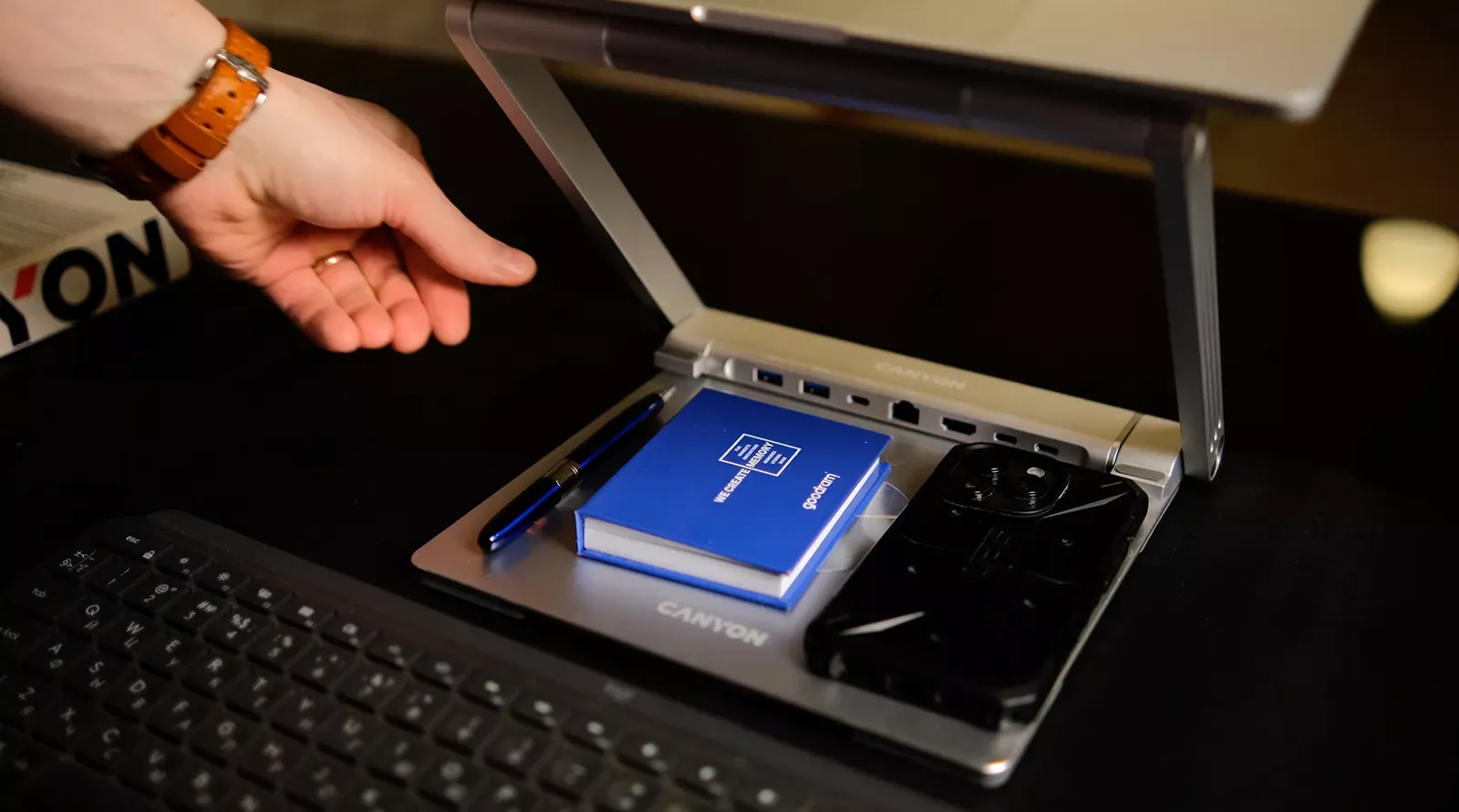
The most interesting part of the Canyon OnStand 2 is the hub, which attaches to the stand using magnets. This solution deserves particular attention due to its flexibility. You can leave it in the stand case to reduce the number of cables on the desk or detach it and take it with you if you don’t need the metal structure.
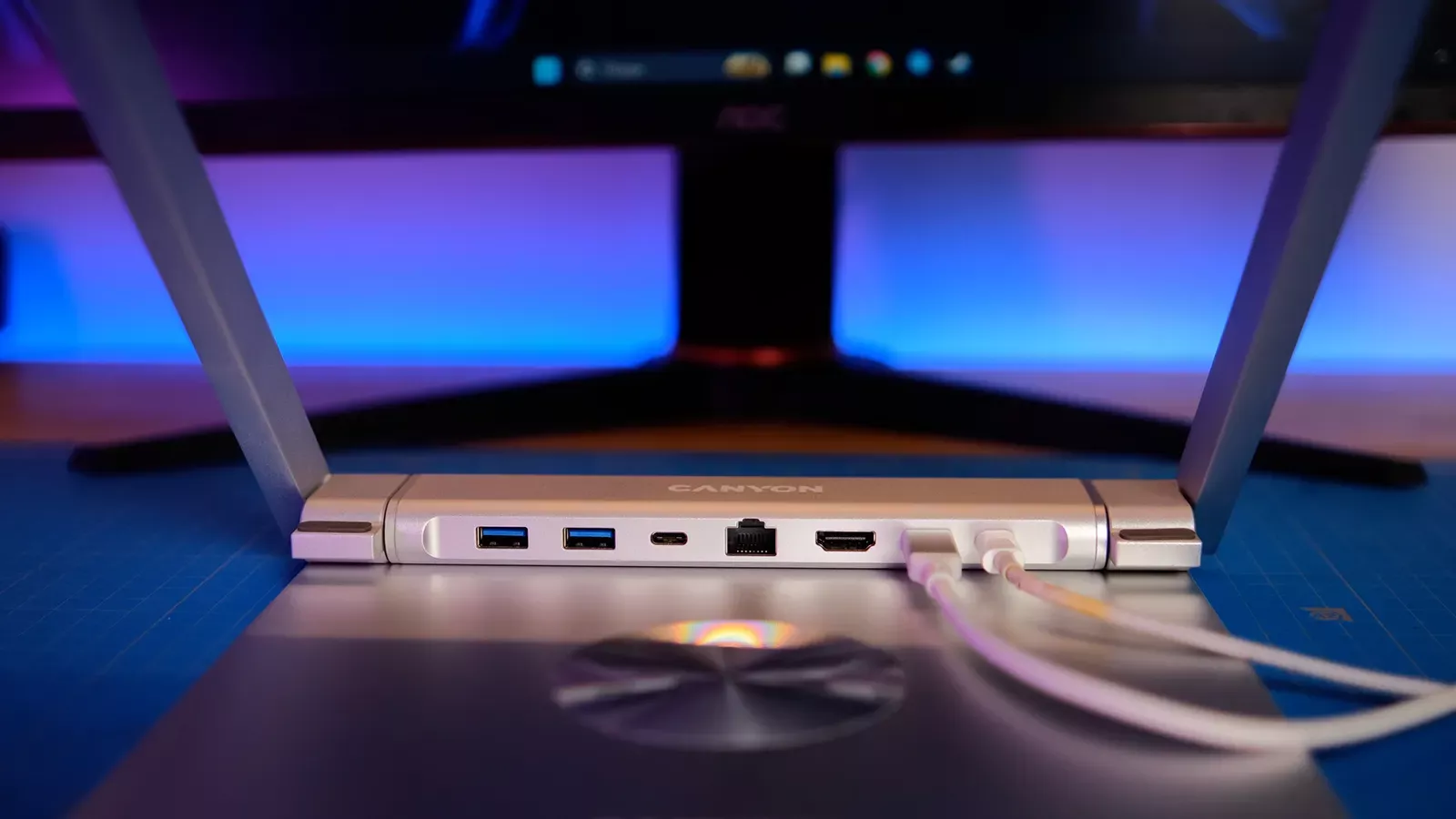
Available Ports:
- HDMI (4K @ 60Hz): Many cheap hubs still only output 30 Hz at 4K, making cursor movement somewhat "jerky". Here we have smooth 60 Hz – the standard for comfortable work, not to mention gaming.
- USB-C Power Delivery (up to 100W): You connect the laptop charger to the hub, and from the hub, a single cable goes to the laptop.
- Gigabit Ethernet (RJ45): A must-have for those working with large files, for stable connections during video calls, or simply prefer a wired connection to the internet.
- 2 x USB-A 3.0 and USB-C 3.0: Ports for peripheral devices and fast data transfer (up to 5 Gbit/s).
The magnetic attachment is strong enough, and the hub does not shift during cable connection/disconnection. It comes with a one-meter USB-C cable, making it easy to organize all connections.
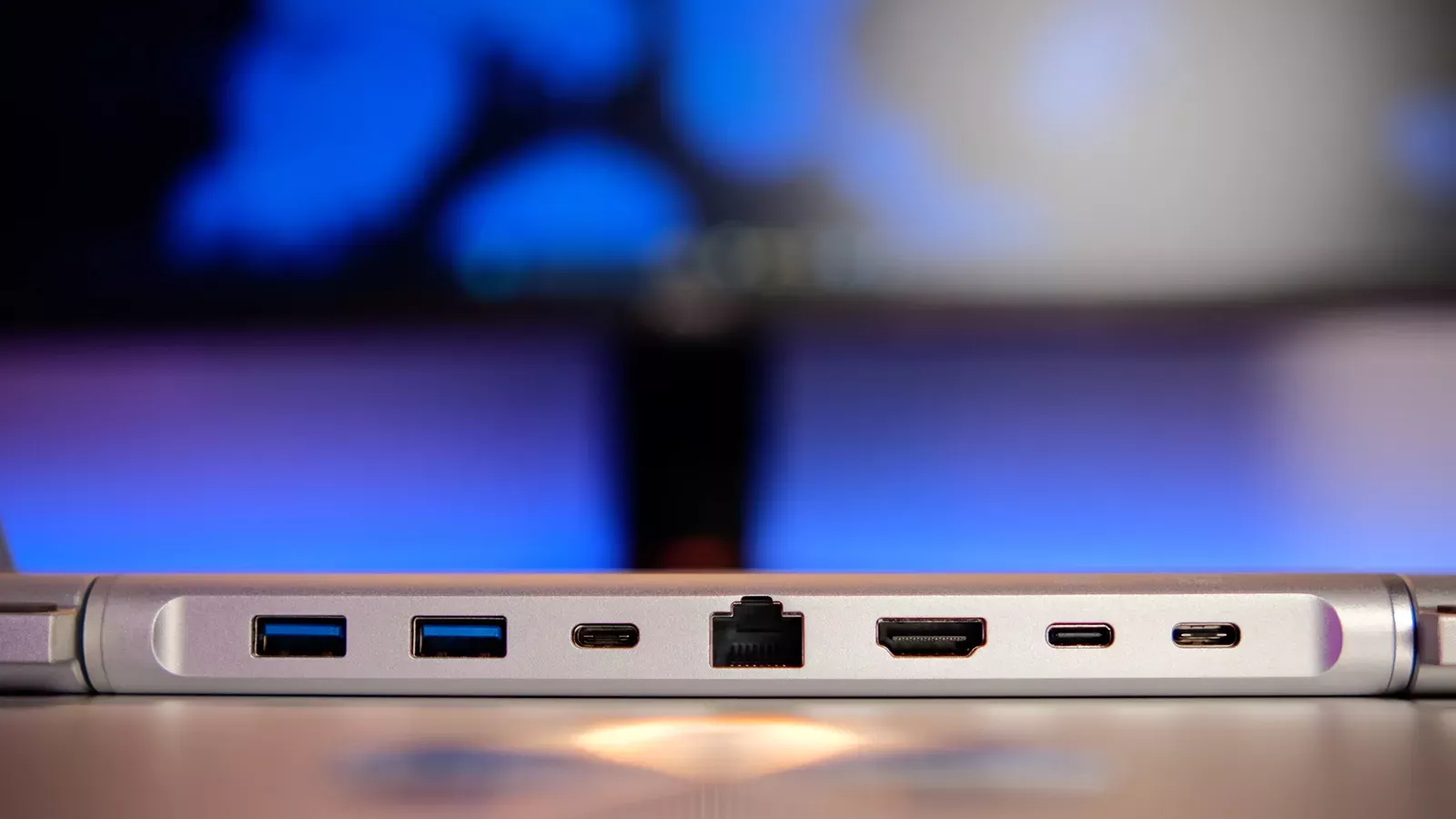
The only subjective critique is the placement of the ports. When multiple cables are connected, the hub looks like a little hedgehog. But since it is located under the laptop, it does not significantly detract from the overall appearance of the workspace.
Temperature Regulation as a Bonus
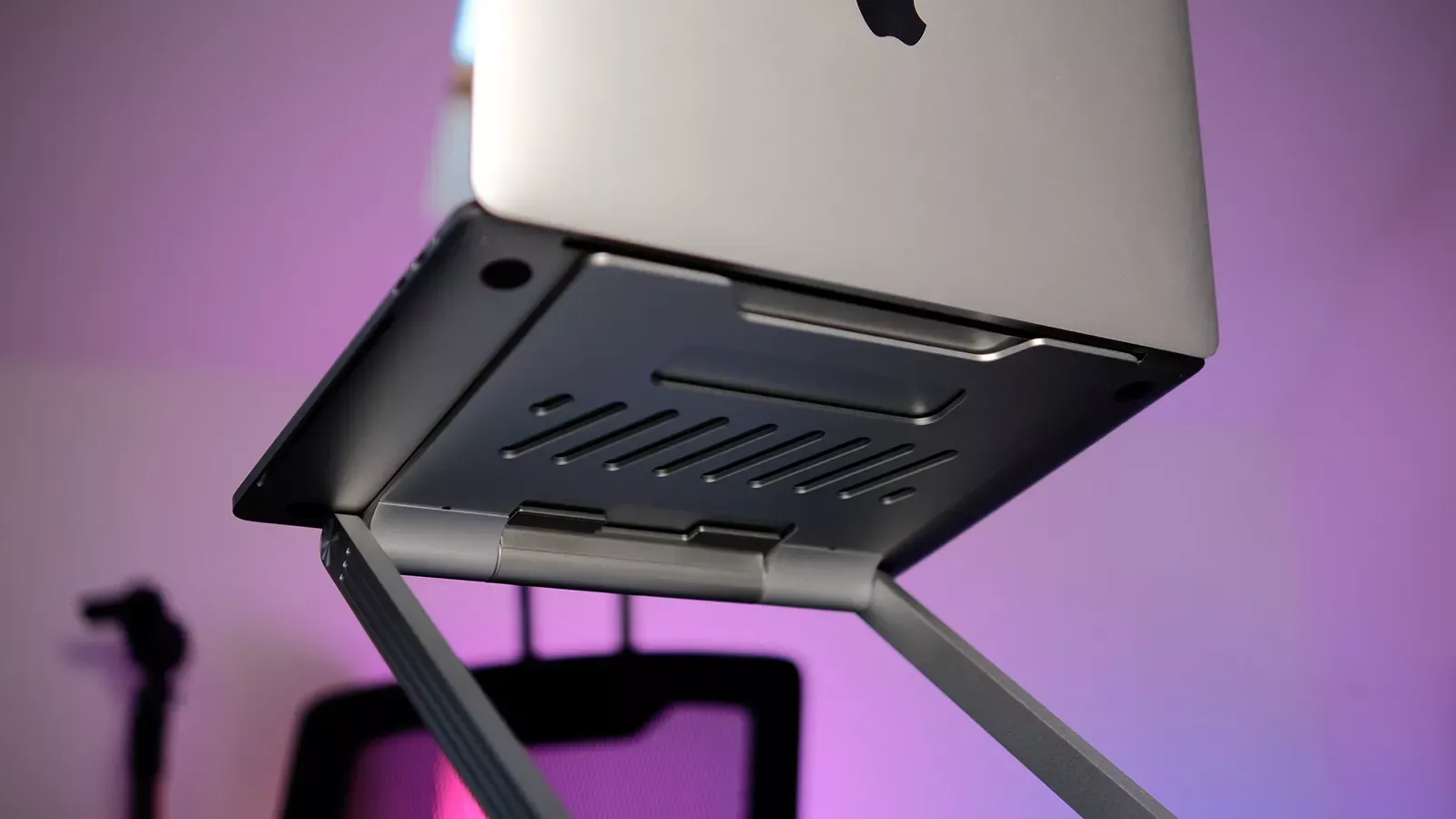
Another important aspect often overlooked in the context of such stands is cooling. The OnStand 2 implements an open design (with a large cutout and perforations on the main platform), providing free airflow under your laptop's casing.
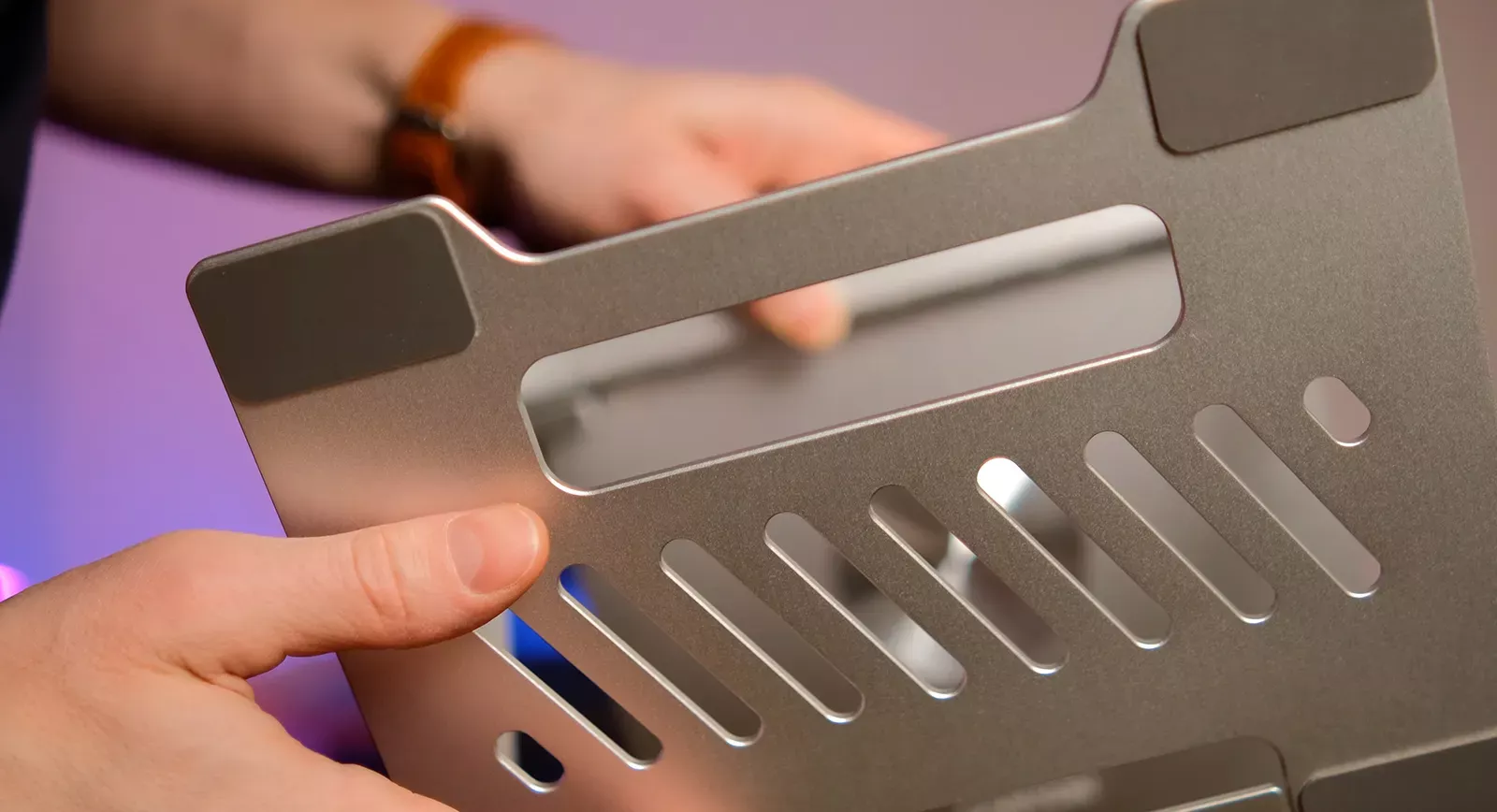
During testing with a MacBook Pro based on Intel (which tend to run fans at high speeds), the temperature during intensive tasks was 3-5 degrees lower compared to placing it directly on the table. This does not replace active cooling, but for a passive construction, it is a good result.
Usage Nuances
During a week of testing, the OnStand 2 proved to be a reliable and comfortable tool. However, there are some nuances to consider before making a purchase decision. First, the dimensions. If you have a very small desk, the stand can take up quite a bit of space. It is not larger than the laptop itself, but when you go, you take the laptop with you, while the stand typically remains on the desk.
Secondly, weight. Although the model is positioned as portable, carrying an additional 1.3 kg daily can be cumbersome. It is more suited for stationary use at home or in the office, or for creating a comfortable workspace while traveling.
Attention should also be paid to compatibility. Although Canyon claims that the stand supports most modern laptops, it looks best with devices up to 15.6 inches. Heavy 17-inch gaming "monsters" may appear bulky on this platform, although the structure itself can easily support them.
Verdict
The laptop stand with a removable hub OnStand 2 is more than just an accessory; it is a successful way to organize the space around the user. For the price of a quality hub, you get a reliable aluminum element with thoughtful ergonomics.
Among the advantages, one can highlight the use of premium materials (thick and durable aluminum alloy), the presence of a detachable hub (which can be used separately), and the capability of rotating 360 degrees.
This model is perfect for those who spend more than 8 hours a day on their laptop and want to eliminate neck pain and clutter from cords and adapters. Choosing such a stand is a rational investment in comfort and health. And if your workspace needs improvement in terms of connectivity, this device will be an elegant finishing touch to your workspace.